PicMonkey Photo Editor
- 4.2
- Rating
- 1.00M
- Installs
- Free
- Price

 Analysis by App-foxy
I approached PicMonkey Photo Editor as a practical mobile design tool rather than a simple filter app. It sits in the Photography category, but its useful range is wider: I can start with a photo, then turn it into a social post, card, collage, logo, sticker, or flyer without moving immediately to a separate editor. That flexibility is the main reason I would recommend trying it, especially if your everyday projects involve both images and lightweight graphic design.
The app is developed by Shutterstock Inc. and is free to install, with optional in-app purchases ranging from $0.99 to $120.00 per item. It is rated for Everyone, runs on Android 8.0 and later, and the current version is 1.20.12. Its store summary promises a broad creative toolkit, but what matters in daily use is how well those tools fit into a repeatable workflow. I found that PicMonkey is most enjoyable when I treat it as a small design desk: choose a clear purpose first, build around one strong image or message, and avoid adding effects simply because they are available.
Starting with a reliable editing workflow
My baseline workflow begins by deciding what the finished image needs to do. A family photo for a card needs a different approach from a product image for a small announcement. PicMonkey makes it tempting to begin by browsing effects, but I get better results when I first choose the canvas or project style, place the main image, and then make corrections before decorating it.
You May Also Like

 Blood Strike: 2.5 Anniversary
Blood Strike’s Loadouts Turn Every Drop Into a Tactical Gamble
A close look at Blood Strike’s custom loadouts: how fast access to signature weapons reshapes its battle royale rhythm, rewards preparation, and narrows the gap between fights.

 Pandora - Music & Podcasts
Pandora’s Music Is Easy to Start, but Harder to Recover
Pandora’s strength is its low-effort path from a seed to a station. Its weak spot is how much confidence it asks you to place in connection, setup, and quiet recovery.

 8 Ball Pool
 Is Built on Rivalries, Rematches, and Routine
A close look at the rivalries, rematches, shared routines, and unanswered safety questions that turn a quick pool match into a persistent mobile community.

 Samsung Music
’s Quiet Strength Is Playing What You Already Own
Its reach comes less from spectacle than from dependable access to a personal library. That simplicity is both the app’s strongest retention engine and its ceiling.

 AccuWeather: Weather Radar
AccuWeather Review: A Quick, Clear Forecast for Everyday Decisions
For everyday plans, the best forecast is the one you can understand quickly. AccuWeather makes rain timing, radar, and local conditions easy to act on, with a few trade-offs.

 Hill Climb Racing
Why Hill Climb Racing Still Turns Crashes Into One More Run
A tiny car, a bumpy hill and one more upgrade: Hill Climb Racing keeps resurfacing because its simple chaos makes every near-miss feel personal.
More From Our News Desk



For a regular photograph, I would begin with the crop and composition. This is especially important when the same image may appear as a square post, a portrait story, or a printed card. Cropping early prevents me from spending time arranging text and stickers around details that later disappear. It also gives the rest of the design a stable frame.
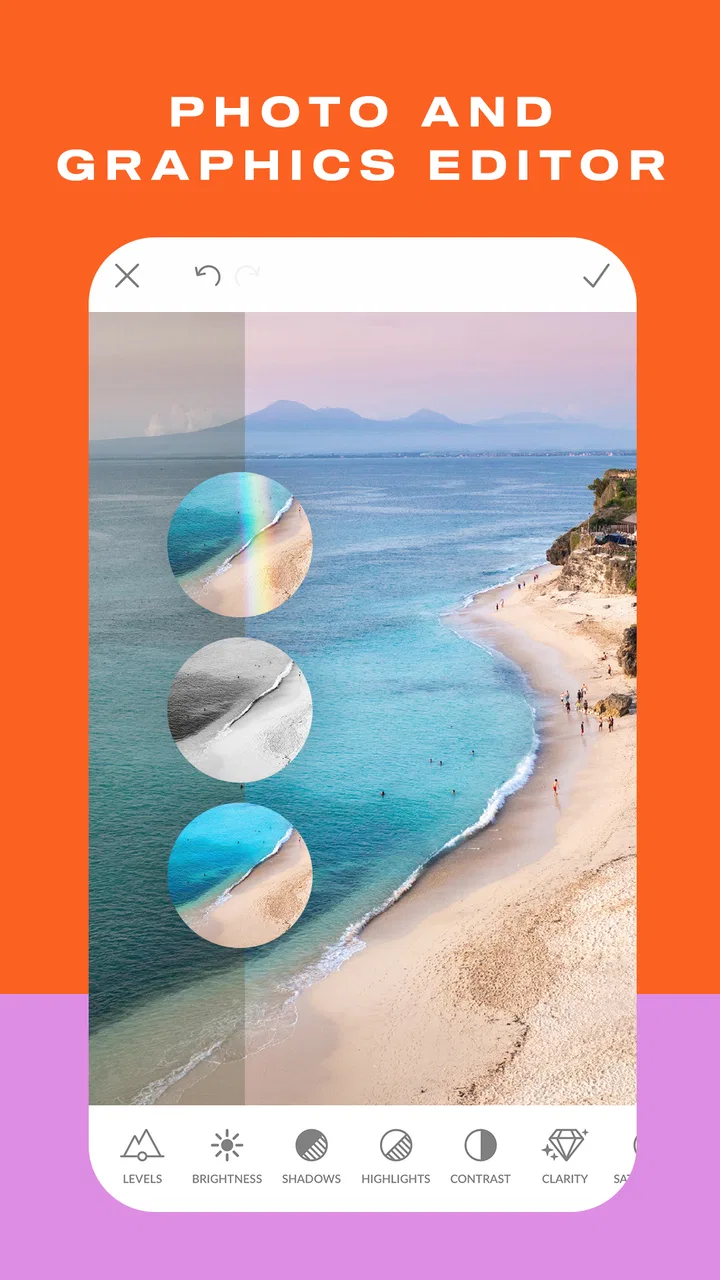
After that, I adjust the image so the subject is easy to read. I look at brightness, contrast, and color before applying a more noticeable effect. A modest correction usually gives text and overlays a cleaner foundation than a dramatic filter. If the original photo is already busy, I prefer to keep the image treatment restrained and use spacing or a simple background to create order.
Text comes after the image has a clear role. I use one text element for the main message and add supporting wording only when it genuinely helps. On a phone screen, long lines become difficult to position accurately, so I keep the first draft short. I also check the design at a reduced size before finishing; a layout that looks impressive when zoomed in can become crowded when viewed as a small thumbnail.
For a collage, I select the photos before making detailed adjustments. This lets me compare their brightness and color together rather than polishing each one in isolation. If one image is much darker or more saturated than the rest, it can dominate the finished arrangement. Matching the overall mood is often more valuable than making every individual photo look dramatic.
A useful everyday example is preparing a birthday invitation from a phone. I would choose a clear portrait or group picture, crop it so faces have breathing room, add a readable title, and use a small number of decorative elements to establish the occasion. The important information should remain visible even if the recipient sees the invitation quickly in a message preview. PicMonkey is well suited to this kind of task because the photo and the graphic elements can be handled in the same project.
For a small business owner, the workflow changes slightly. I would create a simple visual pattern around a logo, a consistent color choice, and a repeatable text placement. The goal is not to make every post look identical, but to make a series feel related. That is where the app becomes more useful than a basic camera editor: the project can include communication and branding, not only image correction.
What I check before adding decoration
I pay attention to the edges of the canvas. Logos, faces, and important words need more space around them than I initially expect, particularly when the design may be cropped by another platform. Keeping key elements away from the outer border is a simple habit that saves rework later.
I also check whether the background competes with the foreground. If a sticker, title, or logo disappears into the photograph, I would rather simplify the photo or introduce a clean shape behind the text than keep increasing effects. This is one of the app’s strengths in practice: it supports quick visual problem-solving, but it does not force me to use a complicated treatment when a basic adjustment works better.
Another useful habit is to save a clean version before experimenting heavily. I can then try a collage treatment or a more playful sticker arrangement without losing the straightforward design. This matters when one image needs several versions, such as a personal card, a square announcement, and a flyer with extra information.
Settings and choices worth checking
PicMonkey is free to download, but the presence of in-app purchases is important when planning a serious workflow. I would start by exploring the tools needed for a specific project instead of assuming every visible option belongs to the free experience. That approach avoids building an entire design around an element that may require a purchase at the final step.
The app’s broad toolset can also create a decision problem. When I see options for photos, cards, collages, logos, stickers, and flyers, I need to narrow the project before editing. A good rule is to ask whether the result is primarily a photograph, a message, or a layout. If it is primarily a photograph, I keep the image dominant. If it is a message, I make the text hierarchy clear. If it is a layout, I give the spacing and alignment more attention than the individual effects.
I would also review the app’s current behavior on my own device before committing to a large batch of work. The minimum operating system is Android 8.0, which makes the app accessible to many older Android phones, but compatibility is not the same as a smooth experience on every device. Large photos, layered collages, and repeated edits can feel more demanding than a quick single-image adjustment. For an important project, I would test one complete export first.
PicMonkey has an average rating of 4.2 from around twelve thousand ratings, and it has passed one million installs. Those figures suggest a substantial user base, but they do not tell me whether the app matches a particular editing style. I would interpret them as a reason to investigate the app, not as a substitute for checking whether its interface and purchase model suit my habits.
The Everyone content rating is reassuring for households and general-purpose use. Still, that label says more about the type of content than about the complexity of the editor. A younger user may enjoy stickers and collage work, while a more experienced user may spend more time on cropping, text placement, and repeatable layouts. The app can serve both, but the quality of the result depends heavily on restraint and attention to detail.
One setting-related trade-off is the balance between speed and control. A preset or ready-made design can help me reach a polished result quickly, but building the layout manually gives me more control over hierarchy and spacing. I use a preset as a starting point when the project is casual, then simplify it if the design feels crowded. For a business announcement or event invitation, I prefer more manual control because small alignment choices affect how trustworthy the result feels.
How I handle purchases and project planning
I would not wait until the final export to discover that a particular asset or treatment is part of a paid option. Before investing time in detailed placement, I check whether the core elements of the design are available for the project I have in mind. This is especially useful for users who want to produce several related graphics rather than one experimental image.
The listed purchase range extends from less than a dollar to a high three-figure amount per item. That wide range makes it sensible to read the purchase screen carefully and avoid tapping through quickly. I would treat the free installation as an opportunity to learn the workflow, not as a guarantee that every advanced creative choice will remain free.
For occasional users, this may not be a serious drawback. Someone making a single birthday card or a quick collage can decide whether the result is worth the cost at that moment. For frequent creators, the more important question is whether the available tools justify becoming part of a regular production routine. I would make that decision only after completing several different types of project.
Faster patterns that improve consistency
The fastest users are not necessarily the ones who tap through every tool quickly. They are the ones who make fewer unnecessary decisions. In PicMonkey, I save time by preparing a small personal system: a preferred text style, a limited color approach, a typical margin around the edges, and a short list of image treatments that I know work for my photos.
This is particularly effective for social graphics. Instead of redesigning every announcement from scratch, I begin with the same basic structure and change the photo, headline, and supporting detail. The result is faster to make and easier for viewers to recognize. I still adjust the crop and spacing for each image, because forcing different photos into an identical arrangement can make the design look careless.
For a recurring event, I would create one strong master design and then duplicate the thinking rather than merely copying decoration. The title position, information order, and visual balance can stay familiar, while the background image or accent color changes. This approach gives me a consistent series without turning the app into a rigid template machine.
A second speed improvement is separating correction from decoration. I finish the crop, brightness, and composition before adding stickers or extra graphic elements. If I mix these stages, I often end up moving several objects after one image adjustment. Working in stages reduces that chain reaction and makes it easier to identify what is actually wrong with the design.
I also use short review pauses. After placing text, I look away from the project for a moment and return to it as if I were seeing it for the first time. This helps reveal awkward line breaks, weak contrast, or a title that is too close to the edge. It is a simple technique, but it is more reliable than adding another effect to hide a layout problem.
When making a collage, I decide which photo is the anchor. The strongest image should receive the most visual attention, while the supporting images should explain or enrich it. Giving every photo equal prominence can make the arrangement feel noisy. PicMonkey’s collage-oriented workflow is most useful when I make that editorial choice before selecting decorative additions.
For logos and stickers, I think in terms of recognition at a glance. Tiny details that look attractive while editing may disappear when the design is used at a smaller size. I keep shapes bold, text brief, and the main silhouette easy to understand. This is a practical limitation of mobile design work, but it is also where a disciplined workflow produces a much better result than simply adding more elements.
When the app replaces several simpler tools
Compared with a basic phone gallery editor, PicMonkey gives me a more complete path from image correction to finished communication. A gallery editor is often quicker for rotating, cropping, or making a minor brightness change. I would choose that simpler option when I only need a clean photo and do not want text, collage elements, or layout decisions.
Compared with a dedicated collage app, PicMonkey is more versatile because a collage can become part of a card, flyer, or branded graphic. The trade-off is that a specialist collage tool may feel faster when the only goal is arranging photos into a grid. I would use PicMonkey when I expect the collage to need additional design work afterward.
Compared with a full desktop graphics editor, the mobile app is easier to approach for quick personal projects and small promotional materials. It is not the choice I would make for complex print production, highly exact typography, or a design that depends on extensive layer management. A desktop tool offers more room and precision when the project demands it.
That middle position is valuable. PicMonkey is not merely a one-tap filter collection, but it also does not ask me to become a professional designer before making a useful card or announcement. The best fit is someone who wants more control than a gallery editor provides without taking on the full overhead of a desktop design suite.
Advanced limits and where I would be cautious
The app’s range can make it feel more capable than it is for demanding production work. I would be cautious about using it as the only tool for a large batch of highly controlled assets. Mobile editing is convenient, but precision becomes harder when many objects overlap or when typography must follow strict specifications.
Text deserves particular care. A design can look polished while editing and still fail because the wording is too small, the contrast is weak, or the line spacing becomes uncomfortable on another screen. I would always inspect the finished image at the size where people will actually encounter it. For a flyer shared on a phone, readability matters more than decorative detail.
There is also a risk of visual overload. Because the app brings together stickers, effects, collage options, and graphic layouts, it rewards users who know when to stop. My rule is to remove one element whenever the design feels busy, then reassess. Often the improvement comes from subtraction rather than from finding a better effect.
Users who need advanced retouching may also find the workflow limiting. PicMonkey is appealing when the task combines photography and design, but someone focused on detailed portrait correction, professional color work, or precise object manipulation may prefer a more specialized editor. I would not choose it solely because it includes a broad selection of creative categories.
Storage and organization can become another practical concern for frequent creators. I would keep original photos clearly separated from finished exports and use descriptive file names outside the editing session. That habit is not glamorous, but it prevents confusion when several versions of a card or flyer are created from the same image.
Performance is worth considering when working with large images or many elements. I would close unrelated apps, keep projects reasonably focused, and export a test version before making a complete set. If the phone feels strained during a complex collage, I would simplify the design or finish the more demanding work elsewhere rather than fighting the interface.
Privacy-minded users should also make their own comfort assessment before importing personal photographs. The app is designed for image creation, so I would be thoughtful about which private images I choose to edit and would review the app’s current permissions and policies on my device. That is sensible practice for any photo editor, particularly when working with family pictures or confidential business material.
Who should use it, and who should skip it
I think PicMonkey is a strong match for people who regularly move between photos and simple visual communication. It suits a parent making invitations, a student preparing a presentation graphic, a small seller creating product announcements, or a casual creator who wants more than filters without learning a complicated desktop program.
It is also a good fit for users who value repeatable habits. If I can settle on a few layouts, color combinations, and text treatments, the app becomes much faster and the finished work becomes more consistent. The benefit is less about any single effect and more about having several creative tasks available in one mobile workspace.
I would suggest skipping it if your needs are limited to quick photo corrections. A built-in gallery editor may be less distracting and faster for that purpose. I would also look elsewhere if you need exact print specifications, extensive retouching, or a professional asset-management workflow. PicMonkey can support small projects, but it should not be mistaken for a complete replacement for every specialized design tool.
Someone who dislikes optional purchases may also prefer a simpler editor with fewer visible creative choices. The free entry point is useful, but the in-app purchase range means I would approach the app with a clear budget and a specific project in mind. That keeps experimentation enjoyable rather than turning the final stage into an unwelcome surprise.
My verdict after building a repeatable habit
PicMonkey works best when I use it deliberately. I choose the project type, establish the crop, correct the image, place the essential message, and only then add decoration. That sequence makes the app feel organized instead of overwhelming, and it produces better results than browsing effects first.
Its biggest strength is the bridge between photo editing and accessible design. I can turn an image into something useful for an invitation, collage, logo, sticker, or flyer without immediately switching tools. The app is free to install, carries an Everyone rating, and has enough reach to be familiar to a large audience, while its current version, 1.20.12, gives Android users a clear starting point on devices running Android 8.0 or later.
My reservations are equally clear. The broad selection can encourage clutter, demanding projects may expose the limits of mobile precision, and optional purchases require attention before I build a design around particular assets. These are not reasons to dismiss the app; they are reasons to use it with a defined workflow and realistic expectations.
The best results come from treating PicMonkey as a repeatable design habit, not an endless effects drawer. If you want quick corrections only, a simpler editor may be better. If you want a friendly middle ground for combining photos, text, layouts, and light branding, I would recommend giving it a serious test with one real project. In my experience, that is when its value becomes clear: not when every feature is used, but when the right few features turn an ordinary phone photo into a finished piece of communication.
FAQs for PicMonkey Photo Editor
01What is PicMonkey Photo Editor used for?
PicMonkey Photo Editor is a mobile design and photo-editing app for creating social media posts, collages, invitations, banners, thumbnails, advertisements, and other visual content. It combines basic editing tools such as cropping, resizing, filters, and adjustments with templates, text styles, graphics, frames, and background options, making it suitable for both quick personal edits and more polished promotional designs.
02Is PicMonkey Photo Editor free to download and use?
PicMonkey can generally be downloaded for free, but access to the complete editing experience may depend on a subscription or paid features. Some templates, fonts, effects, graphics, stock images, and advanced tools can be restricted to premium users. Before starting a project, check the current in-app pricing, trial conditions, renewal terms, and whether exported designs include any limitations under the selected plan.
03Does PicMonkey work well for beginners?
Yes, PicMonkey is designed to be approachable for beginners, especially users who want attractive results without learning complicated professional software. Its template-based workflow provides a useful starting point, while the editor offers familiar controls for adding images, text, stickers, effects, and adjustments. Beginners may still need time to understand layers, resizing, and premium content, but the interface is generally easy to explore.
04Can I use PicMonkey to create designs for social media and business projects?
PicMonkey is well suited to creating content for platforms such as Instagram, Facebook, Pinterest, YouTube, and other digital channels because it offers preset canvas sizes, templates, branding elements, and export options. It can also help with flyers, presentations, product graphics, and marketing materials. However, users should review the licensing terms for stock assets and confirm that commercial use is allowed for their specific project.
05Can edited photos and designs be saved or shared from PicMonkey?
After completing an edit, users can typically save or export their work and share it through supported device or social apps, depending on the operating system and account status. Available formats, image quality, cloud storage, and project-saving features may vary between free and paid plans. It is sensible to verify export requirements before investing significant time in a design, particularly when using premium templates or assets.
Pros
- Easy-to-use tools for quick edits and creative designs
- Large selection of templates for social posts and invitations
- Useful background removal and object cleanup features
- Supports layered designs for more advanced editing
- Cloud storage keeps projects accessible across devices
Cons
- Many premium effects and templates require a subscription
- Some advanced tools can feel slow on older phones
- Free exports may include limitations depending on the project
- The interface can feel crowded for first-time users
- A stable internet connection is often needed for full access

PicMonkey Photo Editor
Gallery